Shape Workshop
Make and explore
What shall we make?
Make pictures by turning and joining shapes.
No rush. You can always turn a piece, move it or try again.
Choose a picture
The outside stays the same.
Your first way
Your new way
Show a join
Choose two pieces. Where do they touch?
Picture ideas
Open a starting picture. Change it however you like.
Move a piece
Choose a piece here to move or turn it.
Tap a piece, tap a space, then Place. Keyboard: Tab to the board, arrows to move, Enter to choose, R to turn and Escape to cancel.
My pictures
Tap a picture to keep making.
Pictures stay on this device.
For grown-ups
Shape Workshop is a place to explore flat shapes. Our pieces are a square, a two-square rectangle and a right-angled triangle. Turning keeps a shape the same shape. A square is also a kind of rectangle.
Lines start on. Your chosen line setting stays the same on the next picture. Help can show one piece that fits the work already on the board. It never moves a piece or completes the picture. All exact solutions are accepted, including arrangements different from the example.
Guess a turn lets a child point to a picture before trying one quarter-turn. A guess is optional, has no penalty and is not a measure of mastery. Show a join lets a child explain by choosing two pieces. Ask “What changed?” and “What stayed the same?”
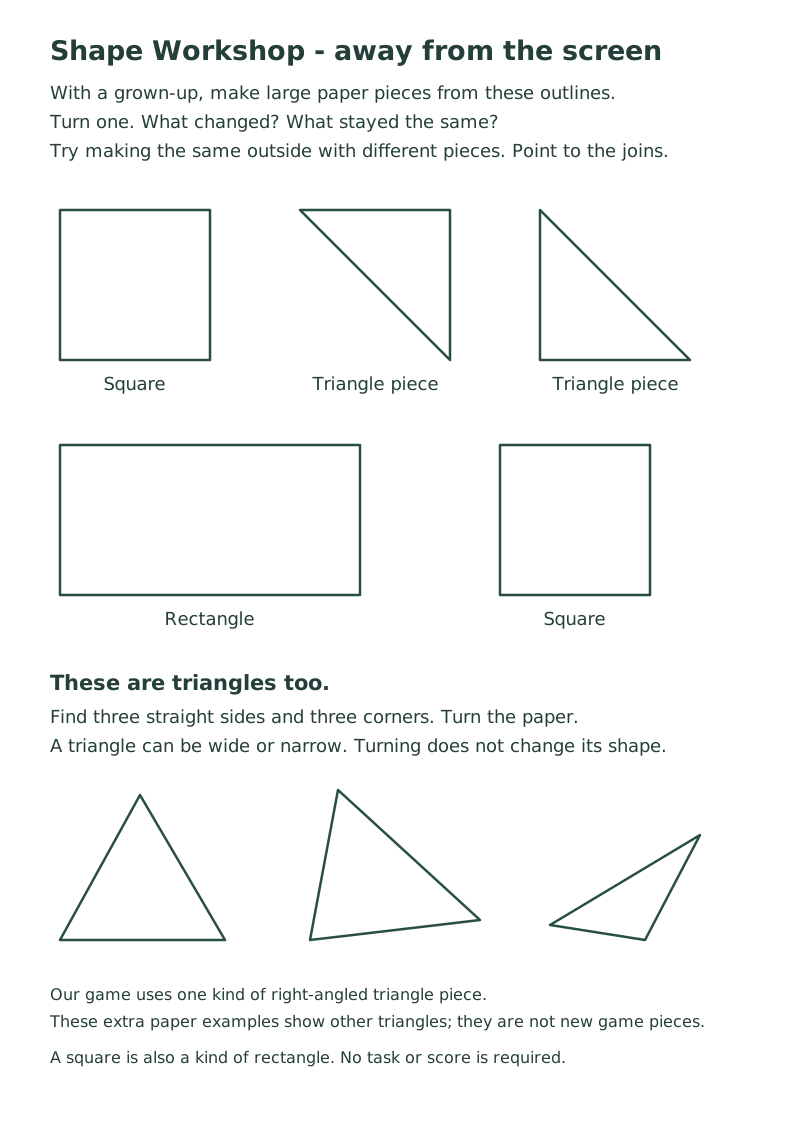
Try making the same picture with large paper shapes and a grown-up. The paper sheet also includes different-looking triangles. These activities have not been evaluated as a learning intervention.
Pictures stay in this browser. Clearing browser data or changing devices may remove them. No accounts, adverts or paid services are used.
Delete this game's saved pictures and settings
This only removes Shape Workshop data from this browser.
An update is ready. Applying it restarts the current activity.