Bridge Builders starts with a practical problem: a bus needs to cross a stream, and the bridge needs a continuous supported path.
I wanted the engineering game to make testing useful. A failed crossing should show where to look, and adding or moving a piece should change what happens there.
How it works
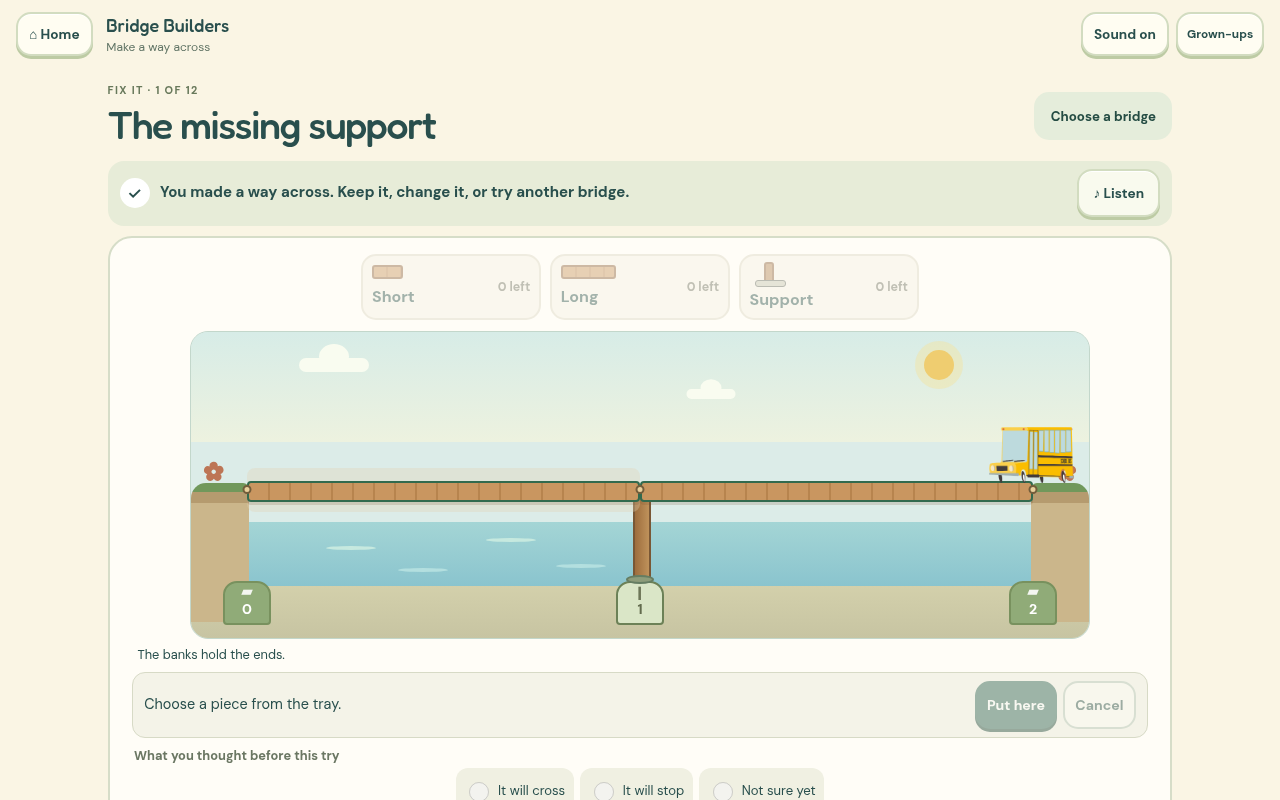
The first repair introduces planks and supports. Select a piece from the tray and try it at a visible position in the scene. Later challenges limit what is available, while the maker gives you more freedom to build. Before a test, you can make a guess about whether the bus will cross.
The bus stops at the relevant gap or unsupported join. The game marks that place so you can revise the bridge. Saved bridges have recognisable thumbnails and reopen for another test. A comparison can keep your first successful design while you try a structurally different solution.
What needed more care
The first preview showed too much abstract information and too little bridge. I replaced that emphasis with visible banks, sockets, planks and a carried-piece preview. The bus now meets the deck rather than floating above it.
This is a support puzzle with explicit toy rules, not a structural engineering simulator. It does not calculate real timber strength or safe loads. Extra decorative supports do not automatically turn the same crossing into a new structural solution.
Checking the learning
The original report asked for a purposeful revision, rather than random pieces followed by a success animation. You can now point to a suspected weak place before a test, and the comparison connects a repair to the earlier gap or unsupported end. Try myself hides the suggested repair while keeping the result you actually saw. A new-gap invitation and a simple low toy crossing give the same support idea another setting.
What I built it with
I used HTML, CSS, JavaScript and SVG for the banks, pieces and support checks. The crossing model is separate from its animation, and the bus uses approved artwork from the existing Grow Word and Moho workflow.
Codex helped me build and check the game. I generated the complete British English speech recordings locally with Kokoro, so there is no paid AI service needed while you play.
The menus and controls now share Grow Word's locally stored fonts, warm cream colours and rounded buttons. Each game keeps its own play area and pictures.
The game is free to play without an account. Saved work stays in this browser on this device, so clearing browser data can remove it. Once its offline pack has finished saving, the game can be played without a connection.
What I want to check next
I want to watch whether children can point to the place that needs changing after a failed test, then explain what their repair did. That will guide the next set of challenges.
This is still an early release. Browser testing and independent design reviews help find software and interaction problems. I still want physical phone checks and observation with children before making claims about independent use or learning gains.