Ramp Lab gives children a small experiment they can repeat: release a ball, change one thing and see where it stops.
I wanted a science game where a surprising result leads to another try. There is a simple model behind the ramp, so the same choices give the same result and a comparison can keep everything else fixed.
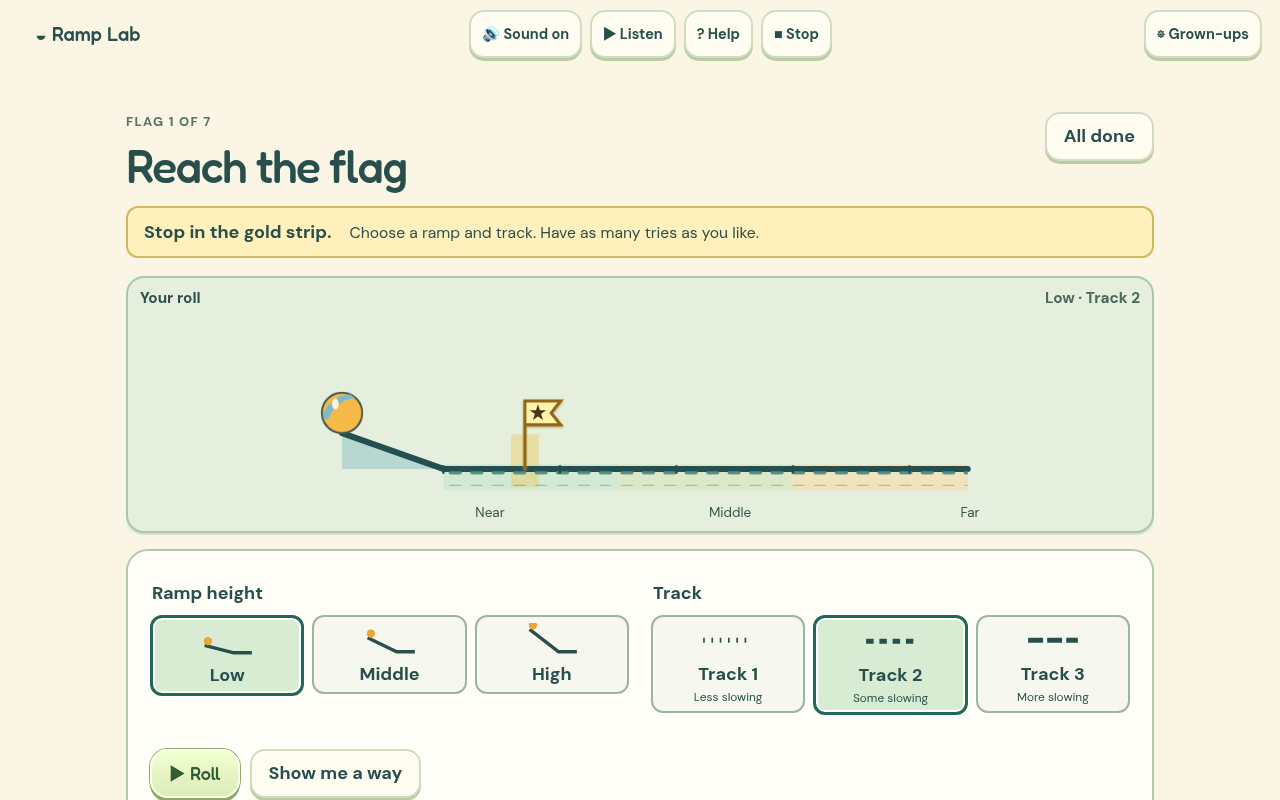
How it works
Roll lets you choose a ramp height and a track. Reach the flag gives you a stopping target to aim for. You can save a miss as well as a success, reopen it and try a change. The flag stays with the saved attempt, so a ball that went too far is not quietly turned into a successful experiment.
Compare starts with test A, then asks you to change either the height or the track for B. An optional guess stays beside the outcome. Watch both replays the two tests together on a shared clock and spatial scale. My tests keeps small pictures of the experiments for another visit.
What needed more care
The early animation made every run last the same time. That looked tidy but hid real differences in the model's motion. The revised replay follows model time for both balls, making the comparison more honest.
The tracks are described by how much they slow this toy ball. They are not claims that a real carpet or wooden floor always behaves that way. The results are simulated, and the game says so. Trying a safe physical ramp with a grown-up is a useful next step.
Checking the learning
I used the original report to look more closely at who was planning the experiment. An optional activity inside Compare now lets you choose between a repeat, a one-condition change and a pair where two conditions change. The explanation keeps those cases distinct. After a comparison, you can point to what changed and what stayed the same. A short physical-ramp invitation also explains that real repeated rolls can vary, while the screen model repeats exactly.
What I built it with
I used HTML, CSS, JavaScript and SVG, with a separate deterministic model for the rolling ball. The scene draws the model result on a shared scale. The ball artwork builds on the existing Grow Word and Moho asset workflow.
Codex helped me build and check the game. I generated the complete British English speech recordings locally with Kokoro, so there is no paid AI service needed while you play.
The menus and controls now share Grow Word's locally stored fonts, warm cream colours and rounded buttons. Each game keeps its own play area and pictures.
The game is free to play without an account. Saved work stays in this browser on this device, so clearing browser data can remove it. Once its offline pack has finished saving, the game can be played without a connection.
What I want to check next
I want to see whether children can choose one change, describe the result and suggest a sensible next test. More settings are only useful if they make that reasoning clearer.
This is still an early release. Browser testing and independent design reviews help find software and interaction problems. I still want physical phone checks and observation with children before making claims about independent use or learning gains.